โœฆ  Simple, affordable inventory software for anyone

Inventory Control
That Actually Works

A quick, no-fuss solution for small businesses, warehouses, and anyone who needs to track, scan, and label their stuff โ€” without the enterprise price tag. Not perfect, but it gets the job done.

100%
Offline capable
โˆž
Items supported
1-click
Excel export
RSA-2048
Secure licensing

Real screenshots from the desktop app

This is what you actually get โ€” no mockups, no prototypes. Just a working Windows application.

Main Inventory View
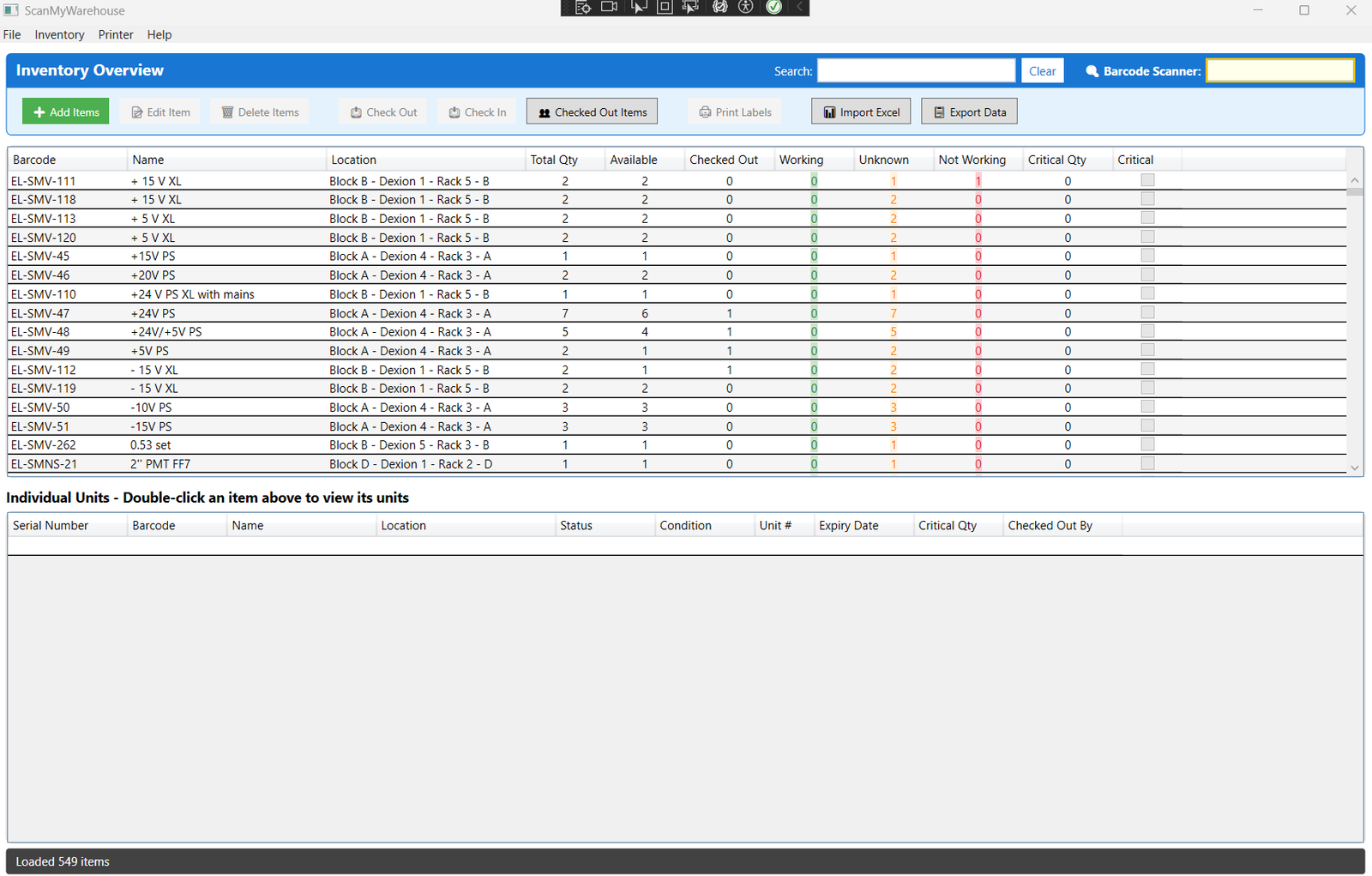
ScanMyWarehouse main inventory list showing items with barcodes, locations, and statuses
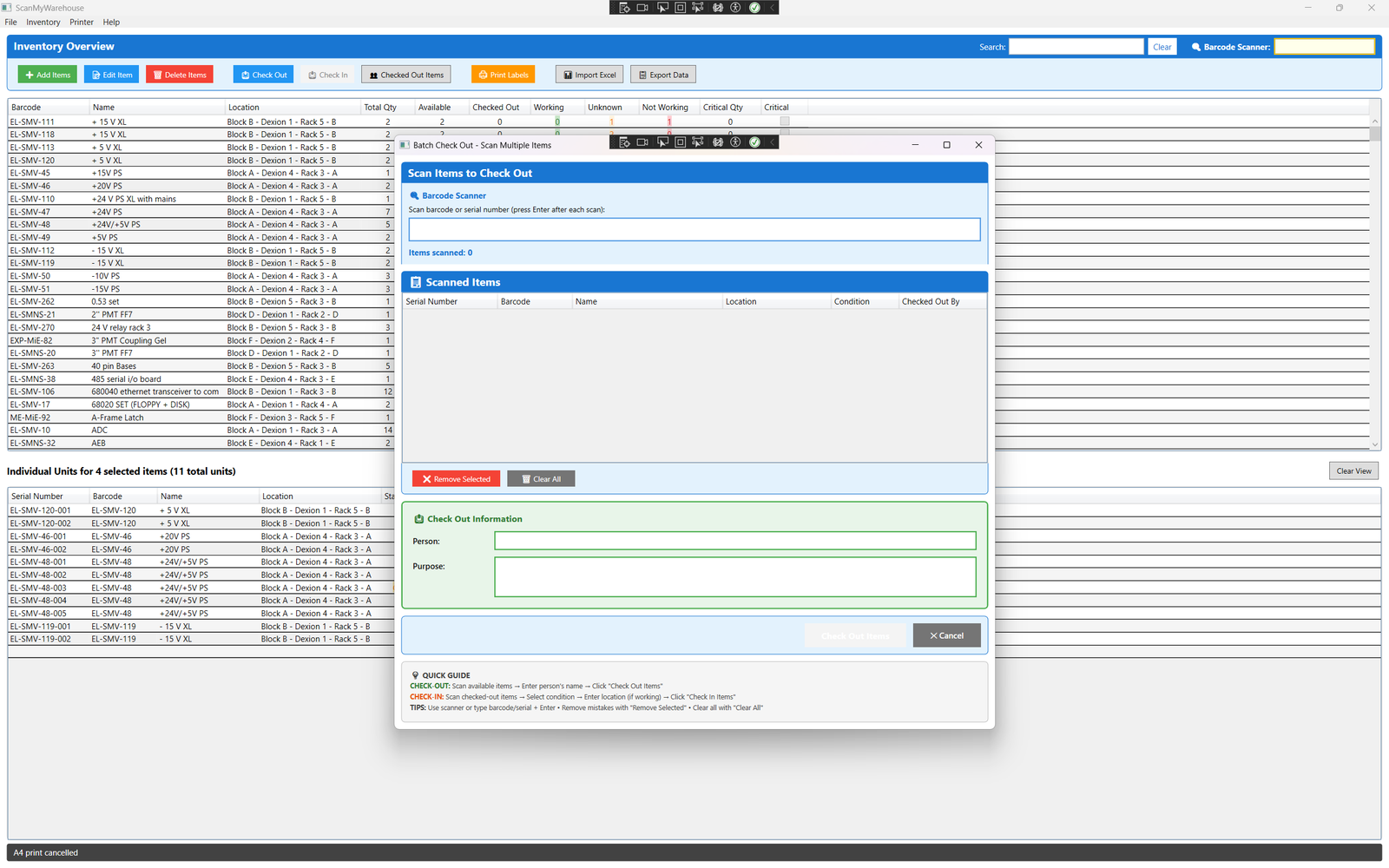
Barcode Scanning
Batch check-out dialog with barcode scanner input
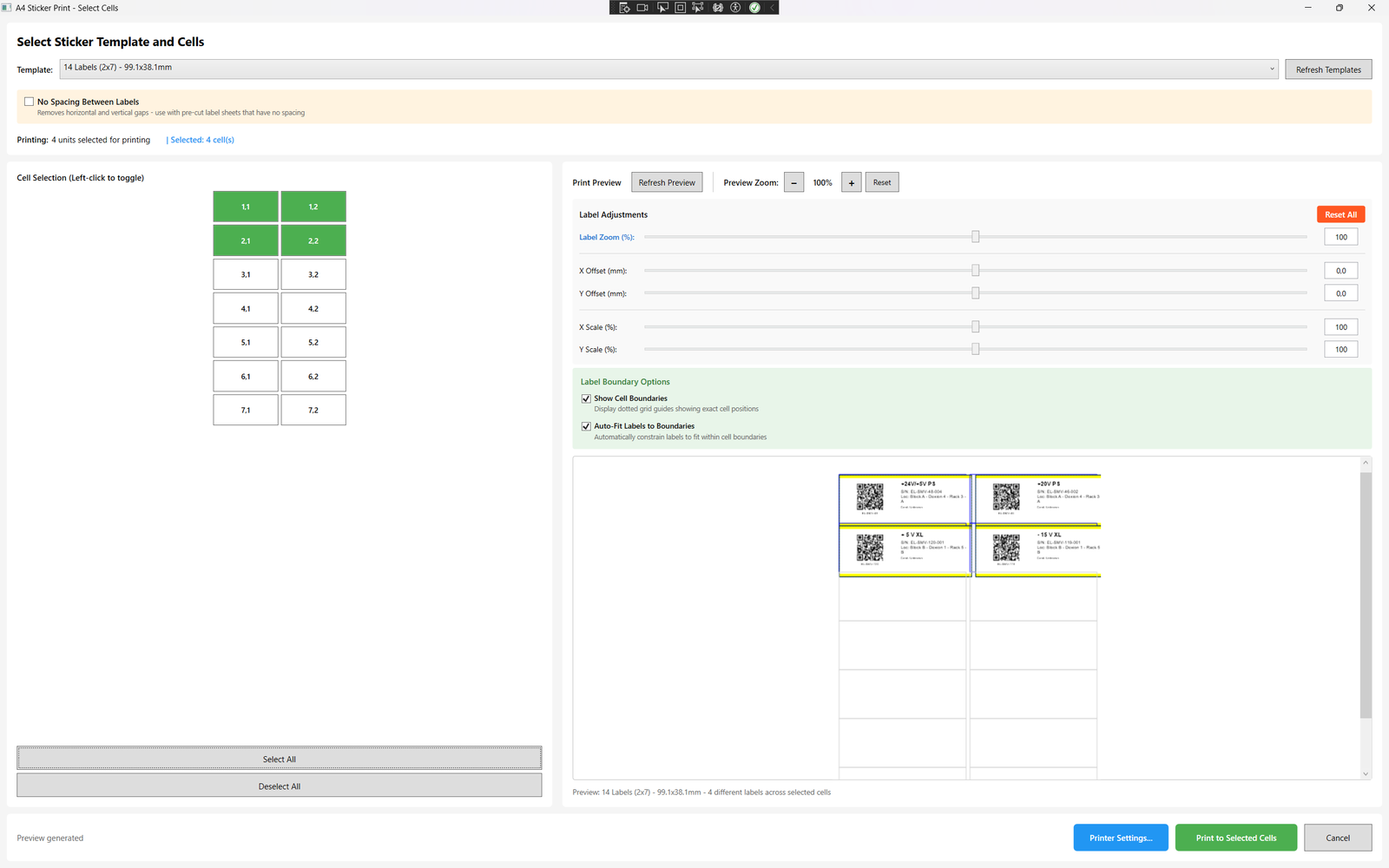
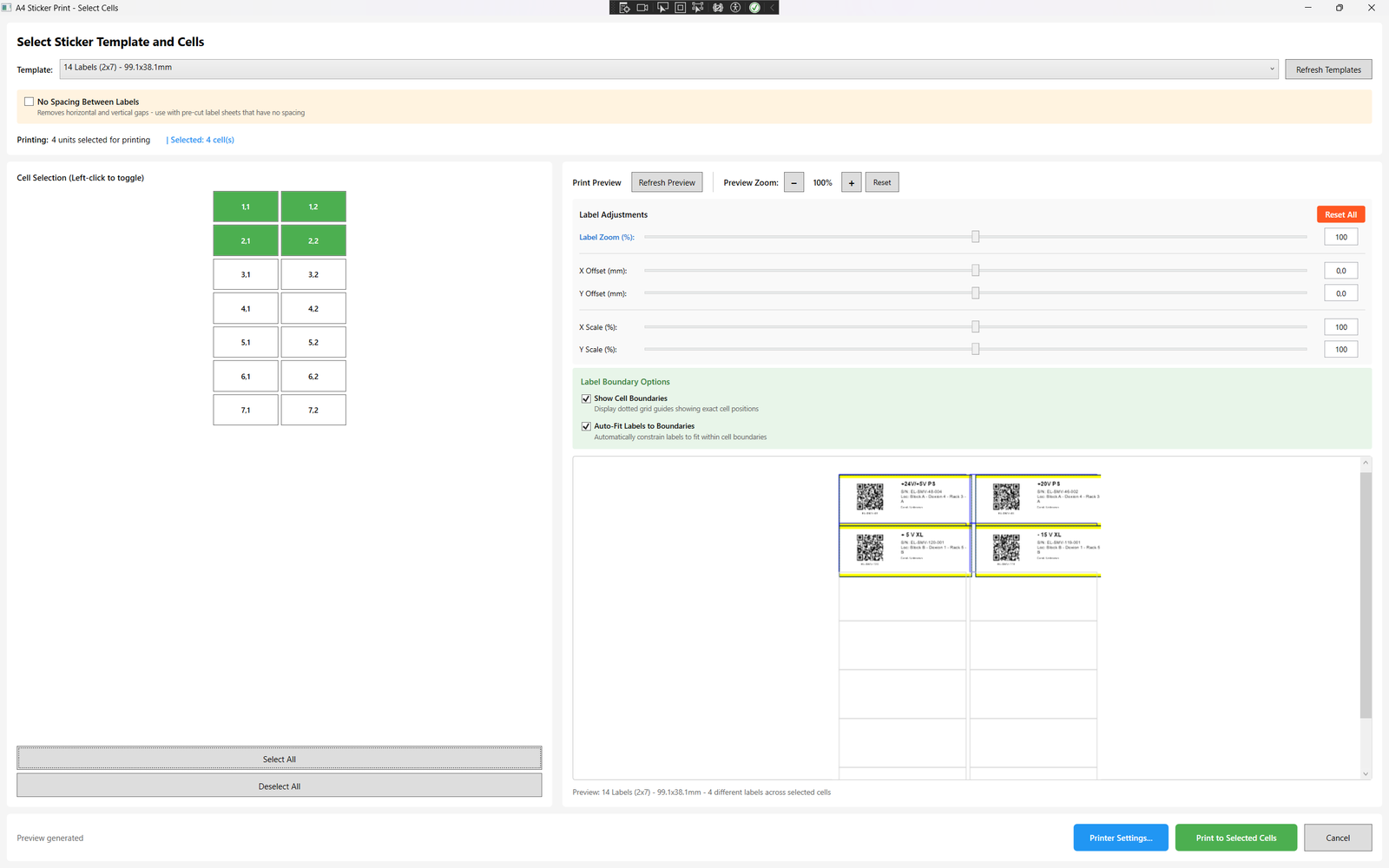
Label Printing
A4 print dialog showing label preview and cell selection
Check-Out Tracking
Check-out dialog for tracking who has items

Everything you need to run your inventory

A complete Windows desktop application for anyone who needs to track what they own โ€” no cloud subscription, no IT department, no fuss.

๐Ÿ”

Barcode Scanning

Plug in any USB barcode scanner and start scanning instantly. Auto-generate serial numbers and barcodes, or import your own. Dedicated scanner input with visual focus indicator.

โ†•๏ธ

Check-In / Check-Out

Track who has what, when, and why. Every checkout logs the user's name, purpose/project, and timestamp. Full return workflow with condition verification and audit trail.

๐Ÿ–จ๏ธ

Label Printing

Print barcode and QR-code labels directly from the software using any standard Windows printer. Use ordinary printable sticker label sheets โ€” no specialist hardware required.

๐Ÿ“Š

Excel Import & Export

Import your existing inventory from Excel spreadsheets in seconds. Export the full database to Excel for reporting, audits, or backups โ€” one click, any time.

โšก

Batch Operations

Check out or return multiple items in a single scan session. Batch operations let your team process an entire shelf in minutes with the barcode scanner.

๐Ÿ””

Low-Stock Alerts

Set a critical quantity threshold per item. The system highlights low-stock items in real time so you never run out of essential supplies unexpectedly.

๐Ÿ“…

Expiry Date Tracking

Record expiry dates on perishable items and consumables. Get visual warnings as expiry approaches so your team can rotate stock proactively.

๐Ÿ“

Location Management

Assign every item to a named location โ€” bay, shelf, cabinet, or room. Filter and search by location to find anything in seconds, even across a large facility.

๐Ÿ”’

Secure Licensing

RSA-2048 hardware-locked licenses mean your software activation is tied to your machine. Annual license renewal with 30-day expiry warnings keeps you compliant.

Up and running in minutes

No cloud setup, no IT team required. Install, activate, and start scanning.

1

Purchase & Download

Complete your purchase below. You'll receive your license key and download link instantly by email.

2

Install on Windows

Run the installer on your Windows 10/11 PC. .NET 8 runtime is included โ€” no extra dependencies.

3

Enter License Key

Open the app, click "Activate License", paste your key, and you're fully unlocked instantly.

4

Start Scanning

Plug in your scanner, add your inventory, and your team is managing assets in real time.

Lightweight & fast

Runs on any modern Windows PC. No internet connection required after activation.

  • โœ“
    Windows 10 or Windows 11 (64-bit)
  • โœ“
    .NET 8.0 Runtime (included in installer)
  • โœ“
    4 GB RAM minimum (8 GB recommended)
  • โœ“
    200 MB free disk space
  • โœ“
    Any standard Windows printer with A4/letter sticker label sheets
  • โœ“
    Any USB HID barcode scanner
  • โœ“
    Works fully offline โ€” no cloud dependency
  • โœ“
    SQLite local database โ€” no server required
Platform
๐ŸชŸ Windows 10 / 11
Framework
โš™๏ธ .NET 8.0 WPF (MVVM)
Database
๐Ÿ—„๏ธ SQLite (local, encrypted)
Printer Support
๐Ÿ–จ๏ธ Any standard Windows printer + printable sticker sheets
License Security
๐Ÿ” RSA-2048 Hardware-Locked
Import / Export
๐Ÿ“ˆ Excel (.xlsx) via NPOI

One price. Everything included.

One-time payment. No subscription. No hidden fees. Your unlock code arrives by email the moment you pay.

โš ๏ธ Honest heads-up: This is a straightforward, budget-friendly tool โ€” not enterprise software. It does the job well for most people, but it comes with no guarantees, no support contract, and no promises beyond what you see here. Buy it knowing that.

๐Ÿ’ณ  Secure payment via Stripe  ยท  ๐Ÿ”‘  Unlock code emailed immediately  ยท  ๐Ÿ“ฆ  Sold as is โ€” no refunds

Used by small businesses & individuals

โ˜…โ˜…โ˜…โ˜…โ˜…

"We went from spreadsheets and sticky notes to a fully scanned inventory in one afternoon. The barcode scanner setup was plug-and-play โ€” my team picked it up in minutes."

DM
David M.
Facilities Manager, Logistics Company
โ˜…โ˜…โ˜…โ˜…โ˜…

"The check-out audit trail has been invaluable for compliance. We know exactly who signed out which piece of equipment and when it came back. The Excel export makes reporting trivial."

SR
Sarah R.
Operations Director, Equipment Rental Co.
โ˜…โ˜…โ˜…โ˜…โ˜…

"Printing QR labels straight from the software onto sticker sheets was a game changer. We stuck labels on every shelf and bin โ€” inventory accuracy went from ~70% to near 100% overnight."

JK
James K.
Warehouse Supervisor, Distribution Co.

Common questions

Immediately after your payment is processed, our system automatically generates a unique license key for your order and emails it to the address you provided at checkout. The email typically arrives within 60 seconds. Check your spam folder if you don't see it within a few minutes.
Open ScanMyWarehouse, go to Help โ†’ Activate License, and paste the license key you received by email. The software will validate the key and unlock all features for the duration of your license period. Internet access is only required during activation.
Licenses are hardware-locked for security and are tied to the machine used at activation. License transfers to new hardware are not supported. Please activate on the machine you intend to use long-term.
No. After initial activation, ScanMyWarehouse runs completely offline. Your inventory database is stored locally in an SQLite file on your PC. This makes it ideal for facilities with restricted networks or air-gapped environments.
ScanMyWarehouse works with any USB HID barcode scanner that emulates keyboard input (which covers the vast majority of consumer and professional scanners). Simply plug in your scanner, click the barcode input field, and scan. No drivers or configuration required.
The software will display a reminder banner as expiry approaches. After expiry, the software enters a read-only mode โ€” you can still view your data but cannot make changes. Purchase a new license key at the same price to restore full access.

Ready to take control of your inventory?

Get the full software for a one-time payment of โ‚ฌ20. Your unlock code arrives by email immediately.